

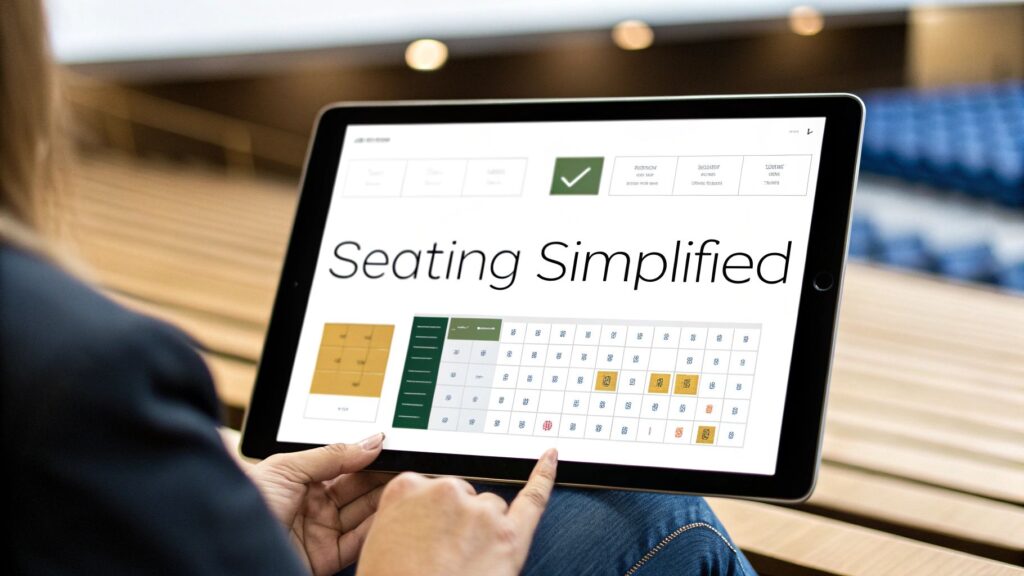
Let’s be honest—staring at a blank venue map with a massive spreadsheet of attendees is the kind of headache every event planner dreads. It’s a mess of cross-referencing, second-guessing, and endless revisions. An online seating chart maker is the modern fix for this age-old problem. It swaps out those confusing paper diagrams for an intuitive, drag-and-drop digital interface that genuinely saves time and cuts down on stress.
Why Manual Event Planning Is a Thing of the Past
The days of wrestling with clunky spreadsheets and hand-drawn charts are well and truly over. Think of this as your new command center for events—a place where drag-and-drop simplicity, real-time team collaboration, and seamless ticketing integration are just how things work. An online seating chart maker isn’t just another piece of software; it’s a strategic tool for creating better guest experiences and wiping out those organizational nightmares.
This move toward digital tools and ticketing automation is picking up serious speed. The global market for online seat selection systems is set to grow significantly over the next decade, showing a huge shift in how events are managed. This trend got an extra push from the post-pandemic demand for contactless and smooth event experiences. You can dive deeper into this industry trend in this comprehensive market report.
Let’s do a quick side-by-side to see just how big the difference is.
Manual Planning vs Online Seating Chart Maker
| Feature | Manual Method (Paper or Spreadsheets) | Online Seating Chart Maker |
|---|---|---|
| Layout Creation | Hand-drawn or using basic shapes; time-consuming and imprecise. | Drag-and-drop interface; create and adjust layouts in minutes. |
| Guest Assignments | Manually typing or writing names; high risk of errors and duplicates. | Click-and-assign or import guest lists; simple and accurate. |
| Real-Time Updates | Impossible. Changes require reprinting or re-sharing files, causing confusion. | Instantly updated for everyone; one single source of truth. |
| Collaboration | Difficult. Requires passing documents back and forth; version control is a nightmare. | Shareable link for real-time collaboration with team, venue, and vendors. |
| Guest Experience | No guest involvement; assignments are a surprise on event day. | Guests can often view the layout and select their own seats during booking. |
| Data & Reporting | None. No insights into booking trends or popular areas. | Tracks booking patterns and provides data to optimize future events. |
As you can see, the switch isn’t just about convenience—it fundamentally changes how you plan, manage, and execute an event.
The Power of Visual Organization
One of the biggest wins with these tools is the ability to see your entire event layout at a glance. Instead of trying to connect names on a list to seats in your head, you can see exactly where every guest is sitting, spot potential conflicts, and shuffle things around on the fly. This visual approach turns a complicated puzzle into a simple, straightforward task.
The real magic of a digital seating chart is the clarity it brings. It gets rid of all the guesswork and manual updates, giving you a single, reliable source of truth that you can share instantly with your team, venue staff, and caterers.
This screenshot gives you a peek at what a clean, user-friendly layout looks like from the attendee’s perspective.
The interface makes it incredibly easy for guests to understand the venue’s setup and pick their favorite spot, which makes for a much better booking experience from the get-go.
A Data-Driven Approach to Planning
Modern tools do more than just help you place people in seats; they give you valuable data that helps you plan smarter events. You can track booking patterns, see which seating areas are most popular, and use that information to optimize layouts for future events to boost revenue and attendance. This isn’t just a hunch; the shift from manual to digital is backed by clear data on just how much more efficient and organized it is.
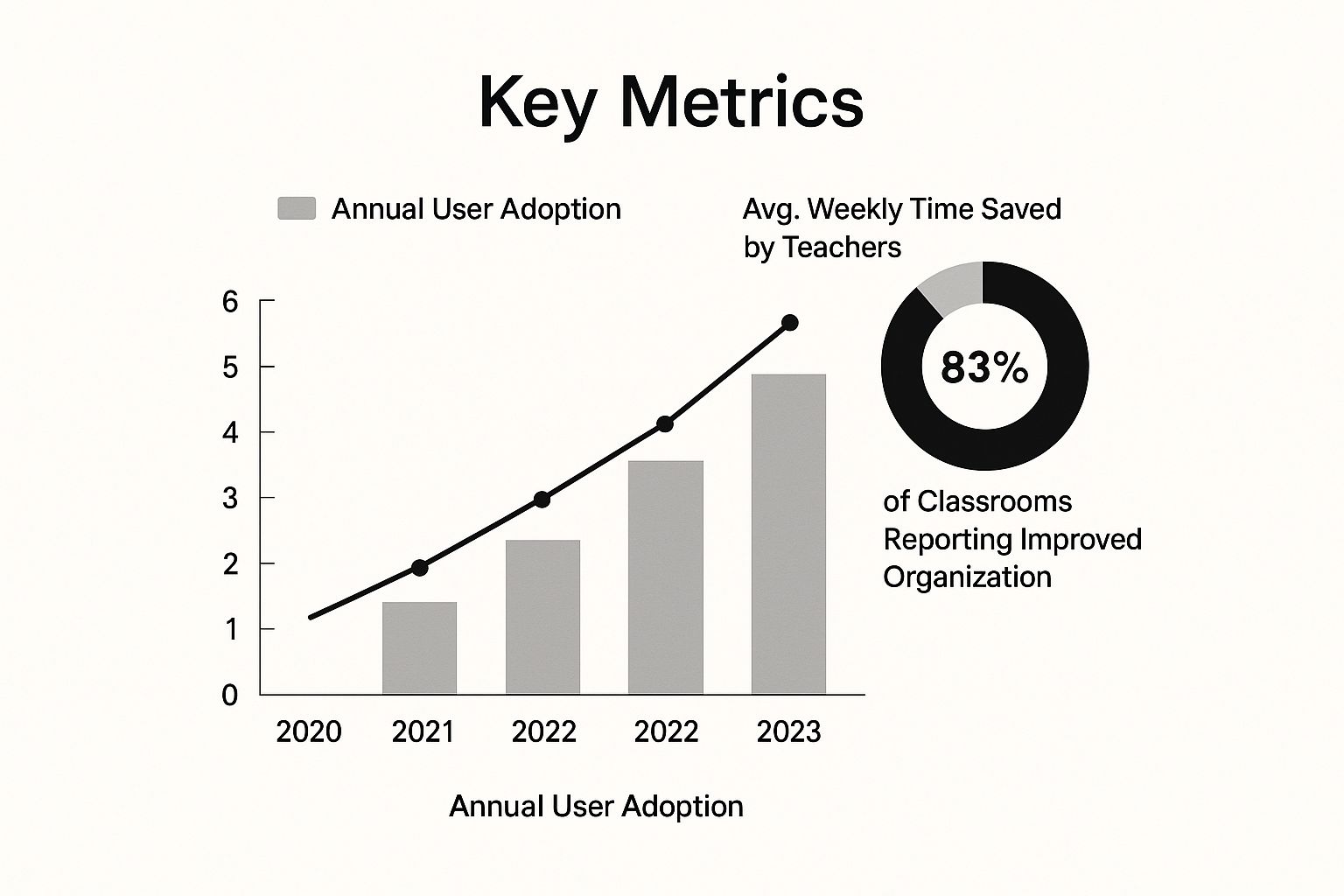
The proof is in the numbers—planners and venues are quickly adopting these tools for a reason. They work. The time saved and the organizational clarity they provide offer a clear return on investment, whether you’re a professional event planner or a teacher organizing a school play.
Essential Features of Top Seating Chart Makers
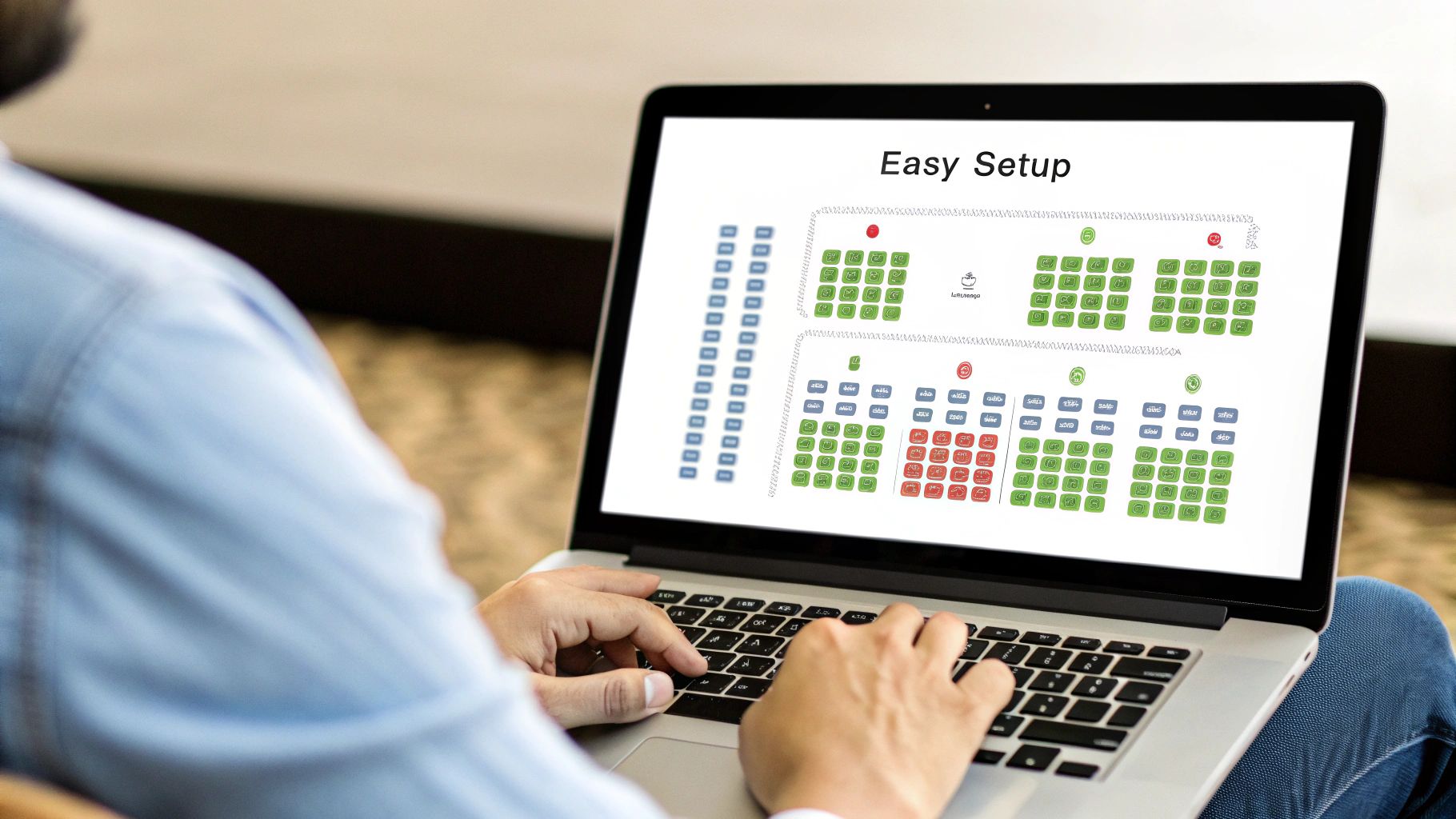
Let’s be honest: not all seating chart tools are created equal. Sure, a basic tool might let you plop a few dots on a blank canvas, but a truly powerful online seating chart maker is so much more. It’s an event management powerhouse. The real difference is found in the features that go beyond simple organization to actively streamline your workflow, boost your revenue, and give attendees an experience they’ll remember.
At the very core, the one non-negotiable feature is an intuitive drag-and-drop interface. This is the absolute foundation of any modern tool worth your time. Forget about fiddling with coordinates or fighting clunky software from a decade ago. You need to be able to click, drag, and place tables, seats, or even entire sections effortlessly. This visual-first approach is what separates today’s digital tools from yesterday’s spreadsheets.
But a great interface is just the beginning. The best tools offer deep customization that can match the unique, and sometimes quirky, layout of any venue.
Customization and Flexibility
Flexibility is everything because no two venues are the same. A top-tier tool lets you create a digital twin of your physical space, giving both you and your attendees a crystal-clear picture of the layout. When you’re building your chart, you need more than just generic squares and circles.
Look for these essential customization options:
- Customizable Table and Object Shapes: Your tool should let you create round, rectangular, or even custom polygonal shapes to accurately represent everything from tables and booths to pillars and stages.
- Bulk Editing Tools: Need to change the price or availability for an entire section? Bulk settings are a lifesaver. They let you apply changes to hundreds of seats at once instead of clicking through them one by one.
- Detailed Labeling and Numbering: Clear labeling is crucial. You need the ability to add custom names to sections (like “Orchestra Left” or “VIP Balcony”) and automatically number seats in a logical sequence.
A powerful tool doesn’t just stop at layout, though. It should also tackle the financial and strategic side of event planning, turning your seating map into a revenue-generating machine.
Strategic and Revenue-Focused Functionality
A smart seating map does more than just tell people where to sit; it actively helps you maximize ticket sales and adapt to modern event demands. This is where an advanced online seating chart maker delivers a serious return on your investment.
The most impactful features are often those that directly tie your seating arrangements to your bottom line. By creating different pricing zones, you can cater to various customer budgets and significantly increase your potential revenue from a single event.
For example, setting multiple price tiers is critical. You can designate premium seats near the stage as “Gold Tier” and those further back as “General Admission,” each with its own price point. This lets you capture the maximum value for your best seats without pricing out other guests.
On top of that, the best tools have features built for today’s event challenges:
- Automated Social Distancing: You can set rules to automatically block off seats around a purchased ticket, making it easy to manage capacity and spacing without any manual work. This is a key automation feature that saves countless hours.
- Mobile-First Design: A huge chunk of tickets are bought on smartphones. The attendee’s view of the map absolutely must be flawless on any device. A responsive design ensures guests can easily find and book their ideal seats on the go.
- Robust WordPress Integration: If you’re using the world’s most popular CMS, seamless integration is a must. One of the best practices for WordPress event management is to use tools that integrate natively. For example, look for capabilities like displaying Elementor dynamic content, which helps create rich, interactive experiences right on your own site.
These advanced features, built on a solid foundation of customization, are what make an online seating chart tool an indispensable part of any modern event manager’s toolkit. For those looking to build a highly detailed map from scratch, our guide on the event floor plan creator offers a deeper dive into the specific tools you’ll need for the job.
How Seating Charts Boost Revenue and Guest Experience
A smart seating chart is so much more than just an organizational tool; it’s a secret weapon for boosting your profits and making sure your guests have a fantastic time. When you ditch the static guest list for an interactive map, you unlock brand-new ways to make money and completely change how people feel about your event, right from the moment they book.
The right online seating chart maker doesn’t just create a diagram—it turns it into a living, breathing asset for your business, helping build a stronger community around your events.
One of the most direct ways to bump up your revenue is with dynamic pricing. Instead of a single, flat price for every ticket, an interactive chart lets you create different pricing zones. Think about it: seats with a better view, more legroom, or that are closer to the action can command a higher price. This lets you capture the true value of your best spots. It’s a strategy that airlines and massive concert venues have used for years, and now it’s accessible to any event organizer.
This approach also makes it incredibly easy to offer targeted upsells. As your guests are picking their seats, you can present them with add-ons like pre-paid parking, exclusive merchandise, or even a drink voucher, all right there on the seating map. It’s a smooth, natural way to increase what each person spends.
Crafting a Superior Guest Experience
Beyond the bottom line, an interactive seating chart massively improves the guest experience. When you let people choose their own seats, you give them a sense of control and ownership. They’re not just buying a generic ticket; they are picking their personal spot, their unique view for the event.
This simple choice has a huge psychological impact:
- It Reduces Anxiety: Guests know exactly where they’ll be. No more stressing about the “first come, first served” chaos or showing up early just to get a decent spot.
- It Makes Group Planning a Breeze: Friends and family can easily see which seats are available and book them together without a chain of confusing emails or texts.
- It Minimizes Day-Of Confusion: With a clear, pre-assigned seat, check-in is faster and people can find their places without hassle. It makes the start of your event feel smooth, professional, and organized.
A well-designed digital seating chart transforms the booking process from a simple transaction into a genuine experience. It’s the very first interaction a guest has with your event, and making it a great one sets a positive tone for everything else.
This shift toward digital-first event tools is a major industry trend. The Seating Tracks market, a key segment of the seating industry, is on track to grow from $12,930 million in 2025 to a staggering $22,282.7 million by 2033. This explosion in growth shows just how essential software like this has become for modern venue management.
Leveraging Data for Smarter Events
Finally, every single ticket you sell through an interactive map is a piece of valuable data. You can instantly see which sections sell out first, identify which price points aren’t working, and get a clear picture of what your attendees truly want. This information is pure gold for planning your next event.
You can use these insights to tweak your layouts, adjust your pricing tiers, and make smart, data-driven decisions that consistently improve your profitability and keep guests happy. A tool like WP Seats isn’t just for planning one event; it becomes a core part of your long-term strategy for growth and success. Many user success stories start with this simple shift: using data to understand their audience better. For a closer look, you can explore our detailed breakdown of why WP Seats is the smart choice for event management.
Build Your First Seating Chart with WP Seats

It’s one thing to hear about the perks of an online seating chart maker, but it’s another thing entirely to see it come to life. Let’s get our hands dirty with a quick tutorial on how to build a professional, interactive seating chart right from your WordPress dashboard using WP Seats. This is where the magic happens—turning a good idea into a real asset for your event.
The whole process is designed to feel natural, even if you’ve never sketched out a digital floor plan in your life. It’s less about being a tech wizard and more about logically mapping out your physical venue. Your goal is to create a master template that you can use again and again, saving you a massive amount of time down the road.
Setting Up Your Venue and Layout
Once you have a plugin like WP Seats installed, your first move is to create a new venue. Think of this as your blank digital canvas. You’ll give it a name—say, “The Grand Theatre” or “Metropolitan Ballroom”—and then jump into the visual editor to start building. This is where you map out the main areas of your space.
A concert hall, for example, is never just one giant room. It’s made up of different zones that need to be clear to your attendees, especially when it comes to pricing.
You’ll begin by creating Sections. These are the big, logical chunks of your venue.
- Orchestra: The prime seating on the main floor, right near the stage.
- Mezzanine: The second level, which usually gives a different perspective and comes with a different price.
- Balcony: The upper-level seating, often set aside for general admission or more budget-friendly tickets.
- Stage: A non-bookable area that’s crucial for helping customers get their bearings on the map.
By creating these sections first, you lay down the structural foundation of your chart. This lets you apply settings like pricing or availability to entire areas at once—a huge time-saver compared to fiddling with every single seat.
Drawing Tables and Adding Individual Seats
With your main sections in place, it’s time to add the actual spots where your guests will be. This is where the drag-and-drop editor really flexes its muscles. For a dinner gala or a corporate function, you’ll probably be working with table objects. WP Seats lets you draw different shapes—like circles for round tables or rectangles for long, banquet-style setups—to perfectly match your floor plan.
Once a table is on the map, you can dot individual seats around it. The software is smart enough to handle the numbering and spacing for you, keeping everything looking clean and organized. For a theater or stadium, you’ll find the row-drawing tools are your best friend, letting you create long, perfect lines of seats with just a couple of clicks.
The real power of a WordPress-native seating chart tool is its direct integration. You aren’t just creating a picture; you are building a functional part of your ticketing system that lives right inside your website, under your brand, and with no external platform fees.
This tight integration means every seat you create can have its own unique properties. You can set specific prices, put seats on hold for VIPs, or block them off entirely. That level of detailed control is what allows you to handle even the most complex ticketing scenarios. For instance, you could charge a premium for front-row seats while running an early-bird special on balcony tickets, all from the same dashboard. This is a common use case for our most successful users.
Here’s a quick peek at just how simple it is to create and assign different price tiers across your venue map.
As you can see in the animation, you can select a whole block of seats and instantly label them with a pricing category like ‘Gold’ or ‘Silver’. This empowers you to roll out tiered pricing strategies in seconds.
Adapting Your Layout for Different Events
The best part about creating a digital template? Its flexibility. That detailed theater layout you built for a stage play can be quickly tweaked for a completely different kind of event.
- General Admission Concert: Just hide the individual seats and make the entire “Orchestra” section one large, clickable zone for standing-room-only tickets.
- Corporate Gala: Swap out the rows of seats for numbered round tables to create a dinner-and-drinks floor plan.
- Trade Show: Use rectangular shapes to represent exhibitor booths instead of seats or tables.
By saving a master layout, you’re really creating a foundation that you can duplicate and modify for any event on your calendar. This process shows that a professional online seating chart maker isn’t just for massive stadiums—it’s a surprisingly powerful and accessible tool for any WordPress user who wants to take full control of their event management.
Choosing Your Seating Chart Software

Okay, so you’re sold on using an online seating chart maker. Smart move. But now you’ve hit a fork in the road, and the path you choose will shape everything from your budget to your brand. The two main options are pretty clear: a self-hosted WordPress plugin like WP Seats, or an all-in-one third-party platform.
Your decision really boils down to what you value more: total control or plug-and-play convenience. This comparison with competitor plugins and platforms is crucial for making an informed choice.
A dedicated WordPress plugin puts you in the driver’s seat. It lives right inside your website, which means you own your customer data, you dictate the branding, and you don’t have to send your audience away to another company’s website just to buy a ticket. Long-term, this approach is almost always friendlier on the wallet, as you sidestep the per-ticket fees that can seriously chip away at your revenue.
On the other hand, big platforms offer a different kind of deal. They’ve made powerful event tools accessible to everyone, allowing organizers to manage and sell assigned seats in real time without a ton of technical setup. For many, just the ability to watch seating plans fill up based on live sales—without lifting a finger—is a huge win.
Data Ownership and Customization
This is where the two models really part ways. It all comes down to ownership.
With a self-hosted plugin, your attendee information stays right where it belongs: on your server. It’s your data, ready to integrate with your other WordPress tools like WooCommerce or your membership portal. This opens the door to building real customer relationships and running marketing campaigns that just aren’t possible when your data is locked away on someone else’s platform.
In contrast, while the big platforms are convenient, you’re essentially renting space in their ecosystem. Your event page gets wrapped in their template, with their logo and their navigation. It works, but it can water down your brand. A plugin like WP Seats ensures every pixel of the booking experience—from the chart to the checkout—matches your website’s look and feel, creating a seamless, professional journey for your guests.
Comparing Costs and Integration
To help you make the right call, it helps to see a side-by-side comparison. Are you building a long-term asset for your business or do you just need something quick and easy for a one-off event?
The table below breaks down the key business differences between sticking with a WordPress plugin versus using a third-party platform.
WP Seats vs Third-Party Platforms
| Attribute | WP Seats (WordPress Plugin) | Third-Party Platforms (e.g., Eventbrite) |
|---|---|---|
| Transaction Fees | No per-ticket fees from the platform; only payment processor costs. | Charges a percentage and/or flat fee on every ticket sold. |
| Data Ownership | You own 100% of your customer data. | Data is stored on their platform; access may be limited. |
| Brand Customization | Fully customizable to match your website’s branding. | Limited to the platform’s templates and branding. |
| Integration | Deeply integrates with the WordPress ecosystem (WooCommerce, etc.). | Limited API-based integrations; may require custom development. |
| Long-Term Cost | Typically lower, with a one-time or annual plugin cost. | Can become very expensive as ticket volume grows. |
As you can see, a plugin gives you deep integration and control right inside WordPress. Of course, it’s worth mentioning that massive event management platforms like Cvent also offer their own seating tools as part of a much larger, enterprise-level package.
But for the vast majority of businesses running on WordPress, a native plugin delivers the perfect blend of power, price, and control. This flexibility also means you can run pretty much any kind of event you can dream up, which you can read more about in our guide covering different event types you can set up with WP Seats.
Of course. Here is the rewritten section, crafted to sound like an experienced human expert, following all the provided style and formatting guidelines.
Your Top Questions About Seating Chart Software, Answered
Jumping into a new tool always brings up a few questions, and an online seating chart maker is no different. We get it. Event planners often wonder if a digital system can really flex to meet their specific, and sometimes quirky, needs.
We’ve heard all the common queries and wanted to tackle them head-on with some clear, straightforward troubleshooting tips and best practices. Think of this as your cheat sheet for understanding just how powerful these tools can be.
Can I Really Use This for Free Events?
Yes, you absolutely can! In fact, this is one of the best use cases. A good seating chart tool is a lifesaver for managing RSVPs and assigning seats at free events like community workshops, church services, or even company training days. It brings a level of organization that a simple sign-up sheet just can’t compete with.
When you use a self-hosted tool like WP Seats on your WordPress site, you get all the benefits of RSVP management and attendance tracking without getting hit with per-ticket fees. It gives you a crystal-clear picture of your expected turnout, which makes planning for things like catering, printouts, and staffing so much easier.
How Hard Is It to Set Up a Really Complex Venue?
Let’s be honest: mapping out a complicated venue takes a bit of time upfront. But here’s the good news—modern software is built to make this surprisingly painless. Even those tricky venues with multiple floors, weird angles, or permanent obstacles like pillars can be mapped out accurately with intuitive tools.
The real magic is in the reusability. Once you create that detailed map for your venue, you can save it as a template. That one-time setup can literally save you hundreds of hours on future events.
With drag-and-drop builders and tools for drawing custom shapes like circles, polygons, or perfectly aligned rows, you’ll find the process is far more manageable than you’d think. Our plugin guides walk you through this step-by-step.
What Happens If I Have to Change the Layout After Selling Tickets?
This is where a digital system truly shines over a static paper chart. Things change—you might need to add a last-minute stage, open up a dance floor, or accommodate a large sponsor group. No problem. You can just go in and edit the map directly.
The software will clearly flag which seats have already been sold. From there, you can easily pull a list of affected attendees from your ticketing or CRM system and get in touch. Offering them a comparable or even upgraded seat is a simple, professional fix that keeps your guests happy and avoids any chaos on the day of the event.
How Do These Tools Handle Things Like Social Distancing or Group Bookings?
The best seating chart makers are designed for modern event logistics. They come with smart, automated tools that do the heavy lifting for you. For instance, you can set a rule to automatically block off seats around a booked ticket or a group, enforcing social distancing without you having to click a single extra button.
They’re also brilliant for group bookings. A single person can easily select a block of adjacent seats for their family, friends, or corporate team in one smooth transaction. This is a must-have feature. It ensures groups can sit together without a frustrating back-and-forth, creating a seamless experience for everyone.
Ready to take full control over your event layouts and boost your revenue? With WP Seats, you can build stunning, interactive seating charts directly on your website. Start creating your perfect event experience today!